Model (Legacy)
warning
The Model component is deprecated. It has been replaced by the Render component.
The model component enables an entity to render primitive shapes or model assets.
The model component can be enabled or disabled using the toggle in the top-right of the component panel. When enabled, the model is added to the scene and rendered.
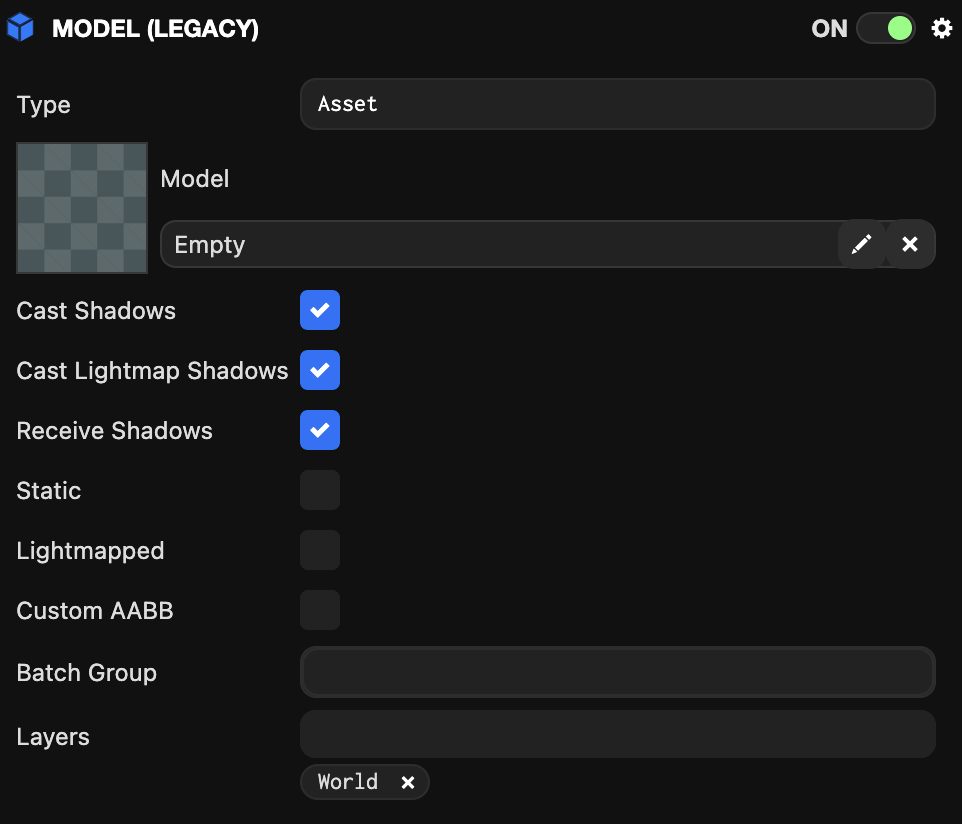
Properties
| Property | Description |
|---|---|
| Type | The type of model to render. Can be one of:
|
| Asset | The model asset rendered by this model component. Only applies to 'asset' type models. Only a single model can be rendered per model component. |
| Cast Shadows | When enabled, the model rendered by this component casts shadows on other models in the scene. |
| Cast Lightmap Shadows | When enabled, the model rendered by this component casts shadows on the lightmap. |
| Receive Shadows | When enabled, the model rendered by this component receives shadows cast by other models in the scene. |
| Static | If the model will never move, check this box to give the engine hints to perform certain optimizations. |
| Lightmapped | When enabled, this model does not receive lighting from dynamic lights. Instead, it receives lighting generated by lightmap baking. |
| Batch Group | The batch group this model belongs to. |
Scripting Interface
You can control the model component's properties using a script component. The model component's scripting interface is here.
Material Customization
You can learn how to customize the model's materials here.