Screen
The screen component defines the area and rendering of the user interface. All children added to a screen component must have element components.
For more details, see the User Interface section.
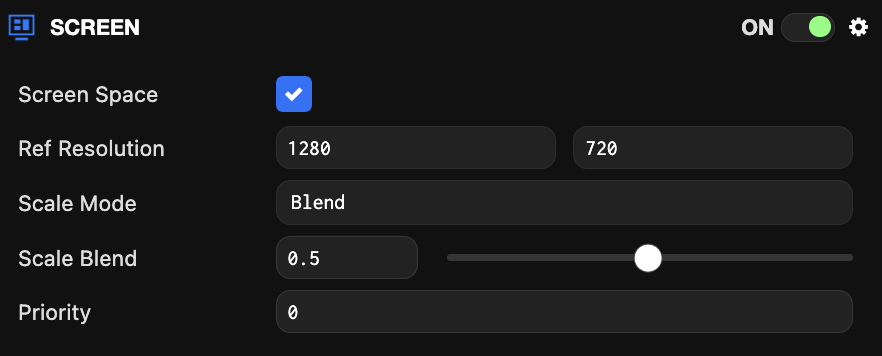
Component Properties
| Property | Description |
|---|---|
| Screen Space | When enabled, the screen's content is rendered as a 2D overlay on the canvas. |
| Resolution | When Screen Space is false. The resolution of the screen coordinates. Screen coordinates increase when moving right and up. For Screen Space components, the resolution is always determined from the canvas resolution. |
| Reference Resolution | When Scale Mode is Blend. The resolution used to calculate the scale factor. |
| Scale Mode | Determines how the user interface changes when the window size doesn't match the screen size. Can be one of:
|
| Scale Blend | The scaling weight between horizontal (Scale Blend = 0) and vertical (Scale Blend = 1). |
| Priority | Determines the order in which screen components on the same layer are rendered (higher priority renders on top). The number must be an integer between 0 and 255. |