Publishing
Once you have built your game, you will no doubt want to publish it and allow people to enjoy its majesty! OasisW makes things very easy for you to target just about any operating system.
To publish you will need to have at least one scene in your project.
Publishing a new Build
- Go to your Project and open the Editor.
- Click Publish / Download button in the Project toolbar.

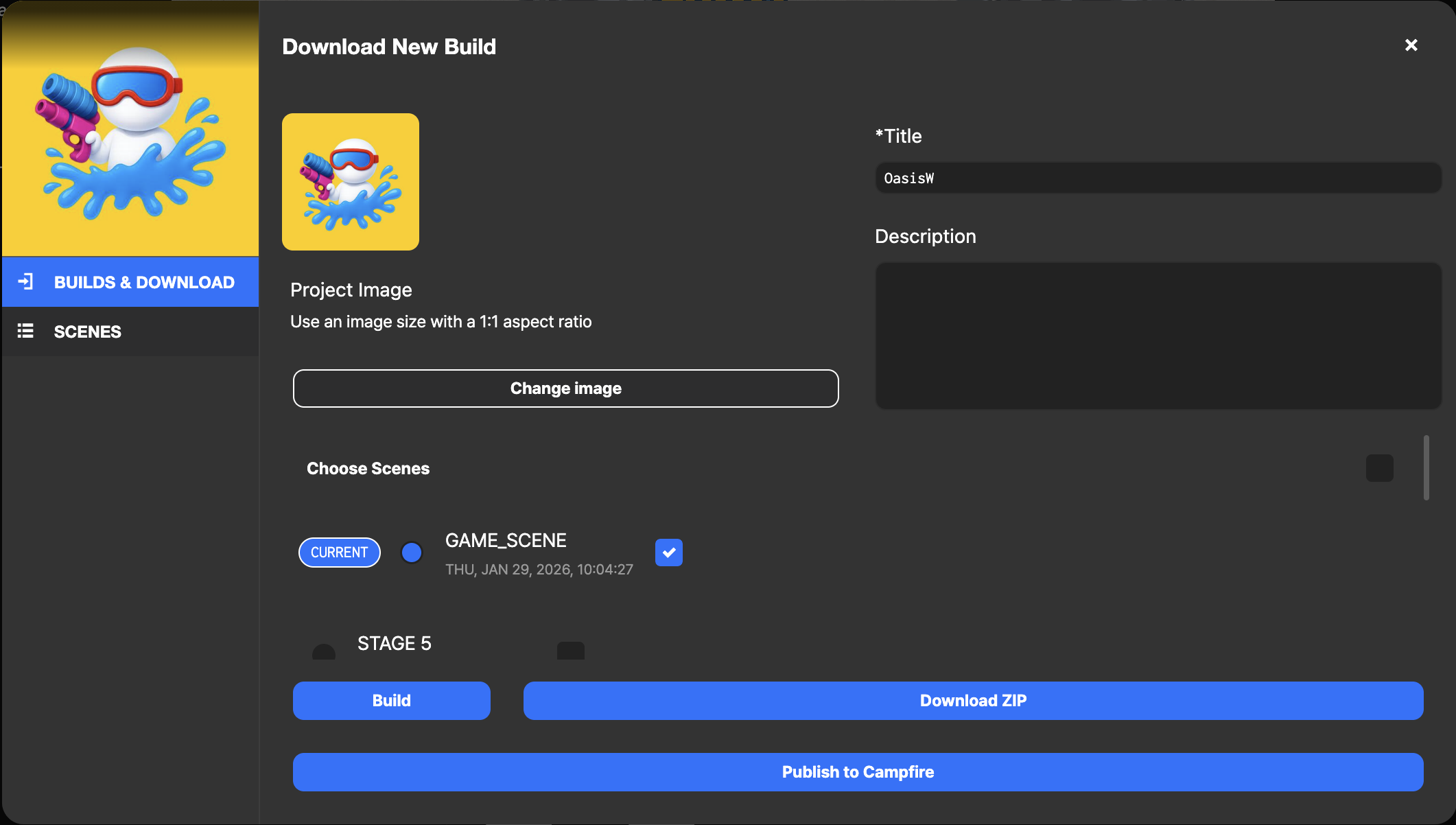
- This will open up the Publishing dialog. Here you can publish a build or download a build for self-hosting.
-
You will then have to fill out some details about your new build. The available fields are:
- Project Image: Click on the image to upload a different one if you want. This will be used when sharing the build on Social Media.
- Title: The title of your build.
- Description: The description of your build. This will be used when sharing the link of your build on Social Media.
- Choose Scenes: Select the Scenes you want to include in your build from the list. Notice that the Scene with the active banner icon will be loaded first when your build is launched if you include it in the build.
-
Click Publish to Campfire and wait for the process to complete.
-
Your web app is now live! Feel free to share the published URL right away.