Script
The script component enables an entity to execute user-provided scripts. This allows users to write scripts (using the JavaScript language) that execute when the entity is instantiated and update every frame.
The script component can be enabled or disabled using the toggle in the top-right of the component panel. When enabled, the update functions of all assigned scripts are called every frame.

To create a new script, click the + button in the asset panel and select new script. Then enter the script name in the popup and press Enter.
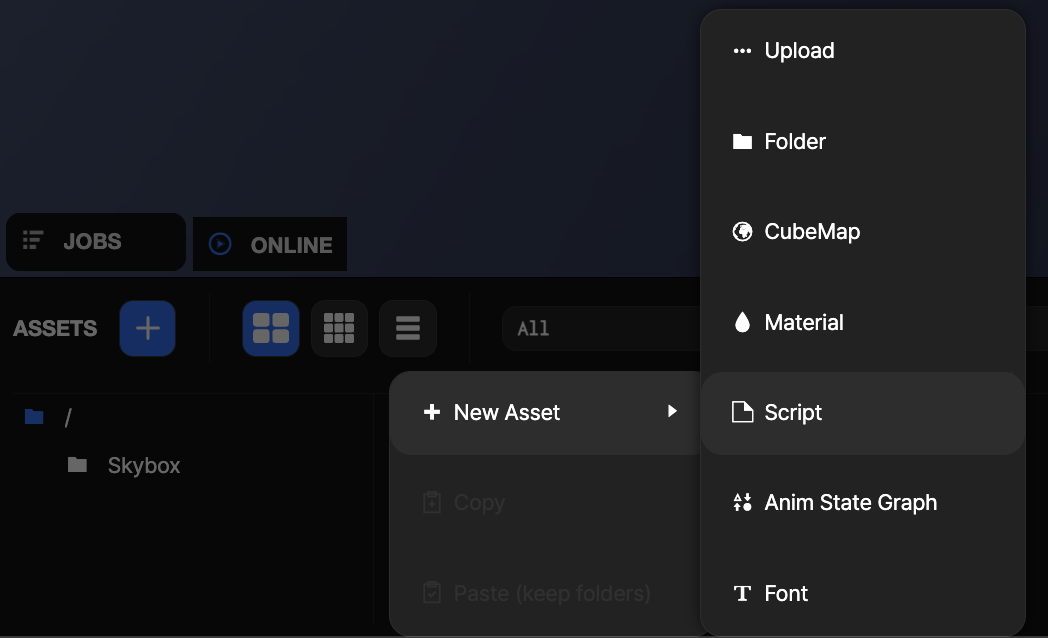
You can then drag the new script to the script component or click the add script button in the script component inspector and then select it from the asset panel.
To edit the script in the OasisW code editor, click the hyperlinked script name or select the script in the asset panel and click edit.
Scripting Interface
The script component's scripting interface is here.