Ambient Occlusion
Ambient occlusion is a technique that approximates how much light reaches a surface based on occlusion by the environment.
In OasisW, ambient lighting is multiplied by the AO map, which is applied to both diffuse and specular.
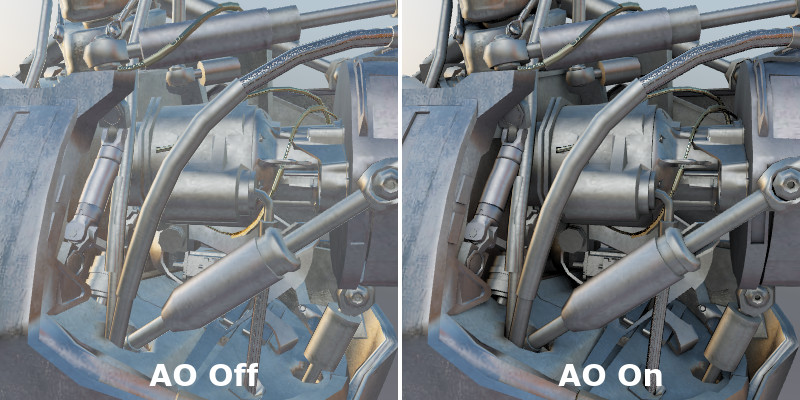
Left: No AO; Right: Global AO
AO maps can have various scales. For example, there can be texture detail AO that shows cracks in the surface, or world-scale AO with large shadow effects from different parts of the model. Large-scale AO has a greater effect and usually matches the lightmap in UV1 and is more important.
Global AO Rendering
AO rendering can be performed using popular 3D modeling and archviz tools.
There are a few small differences in applying a special material to all geometry to make it look like AO and using different settings during texture rendering.
In 3D's Max with VRay, this is done by creating a material of type VRayDirt with Ambient Occlusion mode, where you can change the radius to get the desired result.
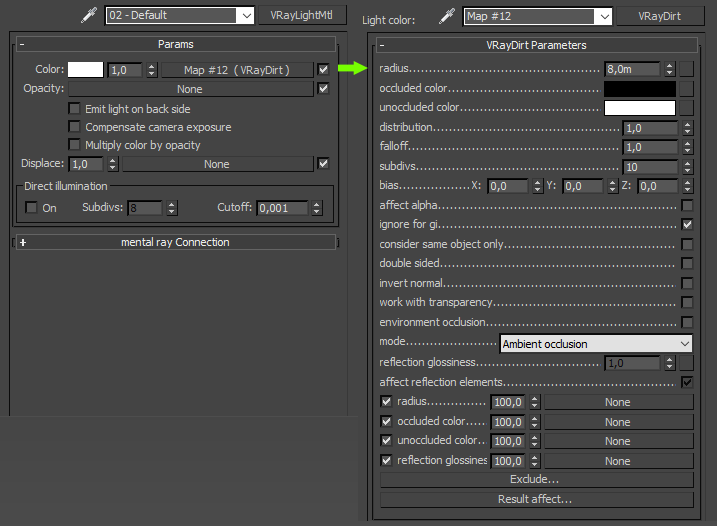
This material should be applied to all static geometry that should be in the ambient occlusion map. In 3D's Max, you can either apply it manually to individual objects or use the VRay render settings with the Override mtl property. This preserves individual materials and makes the work easier.

Then you need to export this data as a texture. In 3D's Max, this is done using Render To Texture, which is the same as lightmapping rendering, but the output option should use VRayCompleteMap.
AO textures don't need to store very detailed information and are not significantly affected by texture compression artifacts visually. Therefore, JPEG is an economical and suitable format.
Upload to Editor
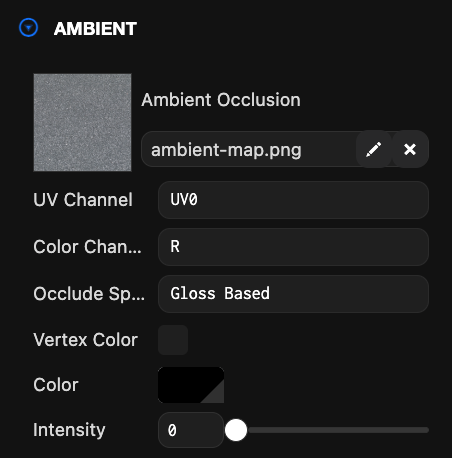
Simply upload the texture in the editor and apply it to the Ambient Occlusion slot of the material.
Examples
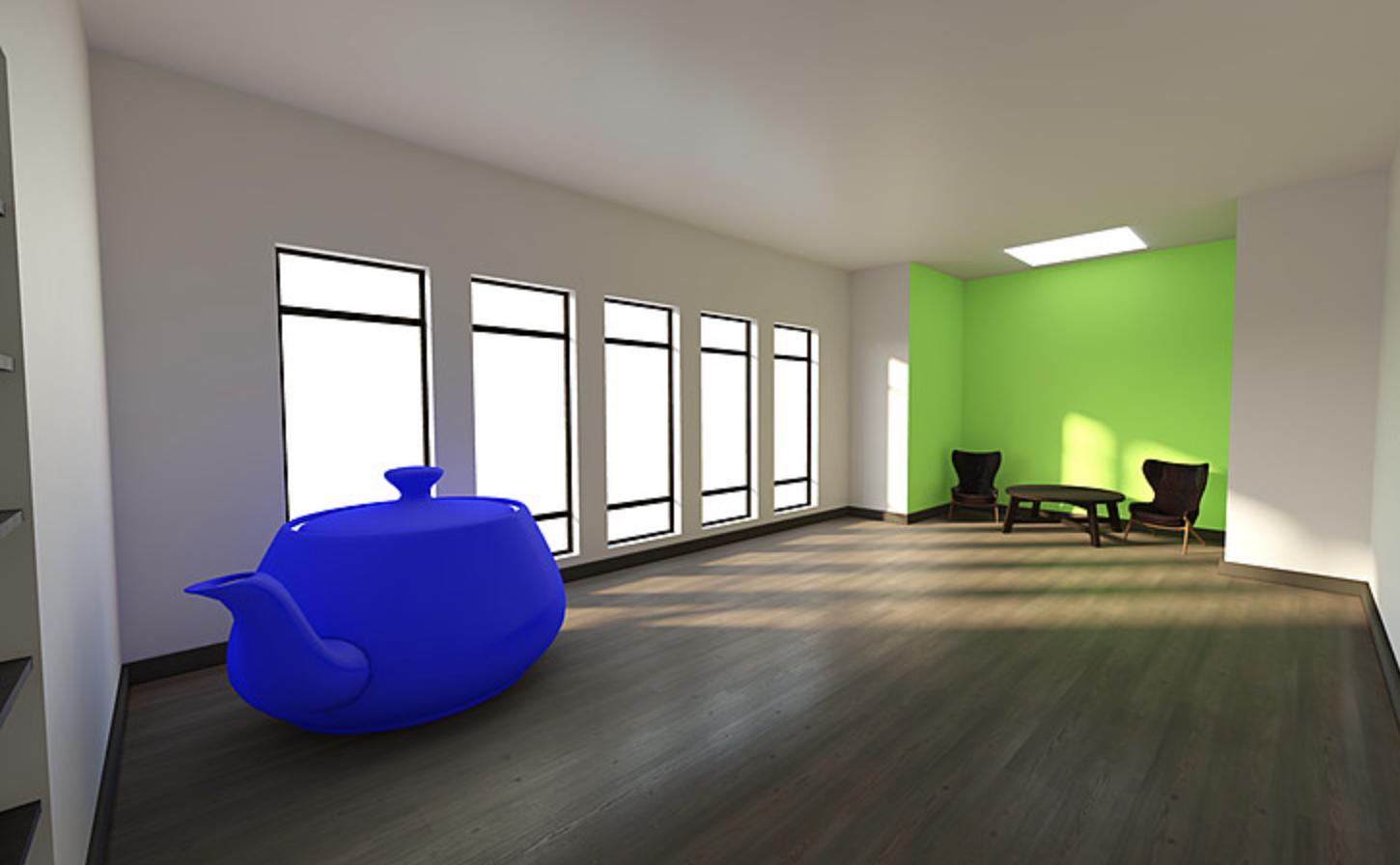
The lighting in this scene is implemented using lightmap and AO textures, and Box Projected IBL (reflections)