Image Based Lighting
To achieve the best results with physically based rendering in OasisW, you can use a technique called Image Based Lighting or IBL. This allows you to use pre-rendered image data as source information for ambient and reflective lighting.
This technique relies on cubemaps. A cubemap is an environment map made up of 6 textures (faces) that form a cube for complete surrounding texture coverage.
HDR
Image data can be stored in LDR or HDR (High Dynamic Range) color space, which allows storing more values than 0.0 to 1.0 (256 steps) in a single channel. HDR can store values above 1.0 (values considered "white"), and when combined with many elements of the environment such as gamma correction, tone mapping, and exposure, it includes more lighting details and provides artists with much better control over lighting quality and desired results.
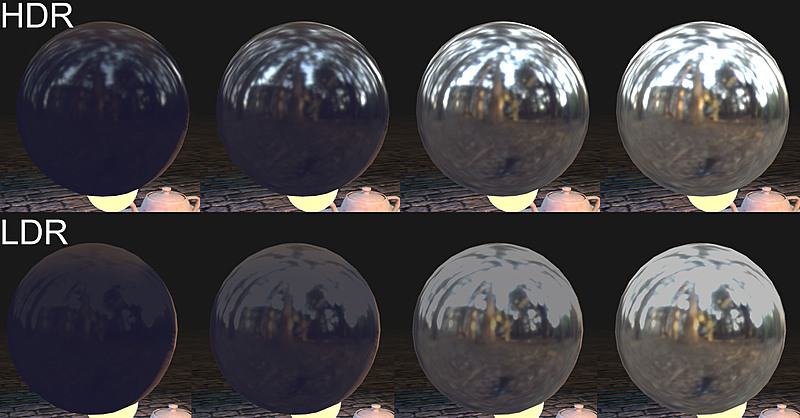
Notice how the bright parts of the texture are clamped when using LDR.
Energy Conservation
This concept is derived from the fact that both diffuse and reflected light come from the light hitting the material. The sum of diffuse and reflected light cannot be greater than the total light hitting the material. In practice, this means that if a surface is very reflective, the diffuse color will be barely visible. Conversely, if a material has bright diffuse color, it cannot reflect much.
In nature, smoother surfaces have sharper reflections while rougher surfaces have more blurred reflections. This is because rougher surfaces basically have larger and more prominent micro-facets that reflect light in many directions, while smooth surfaces tend to reflect primarily in one direction. When light coming from different directions is averaged within a small viewing point, thanks to energy conservation, the result appears blurred and less bright to us. OasisW simulates this behavior with the glossiness parameter, which works automatically with lighting. However, for IBL, the correct blurred response must be pre-calculated in advance. This is what the Prefilter button does.
The Prefilter button is available on cubemap assets in the Inspector and is essential for enabling IBL in physical materials that use cubemaps.
Environment Map Creation
Environment maps are provided in various projections: equirectangular, cubemap (face list), azimuthal, and many others. WebGL and GPU work with cubemaps, which are face lists (a set of 6 textures representing the faces of a cube). Therefore, if an environment map is provided in a different projection, it must be converted to 6 textures.
Various tools can be used for conversion between projections, one of which is cmftStudio, a cross-platform open source cubemap filtering tool.
Cubemaps can be rendered in CGI or assembled from photographs, and there are websites where you can download or purchase HDR environment maps. Good sources for experimentation include sIBL Archive, No Emotion HDR's, Open Footage, and Paul Debevec. Environment maps can be provided in equirectangular projection and can be converted using the aforementioned cmftStudio.
Cubemap Rendering
A cubemap consists of 6 faces, each representing a square face of the cube. Simply put: it can be rendered using a square viewport camera with a 90-degree field of view, rotated in different 90-degree directions.
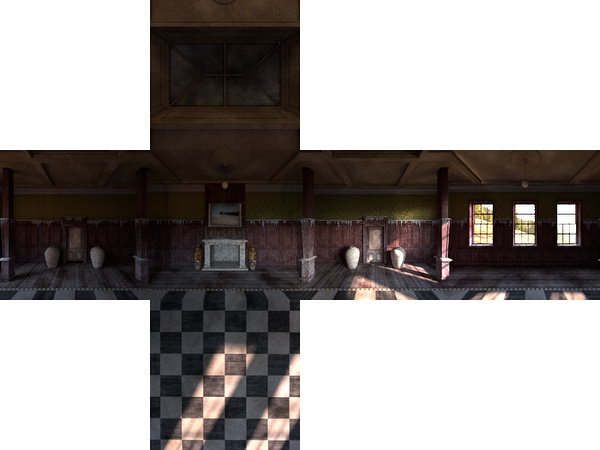
You can use popular 3D modeling tools or photography and 360 image software.
You can render VRay cubemap faces ready for upload to the OasisW editor using one of the plugins like this for 3D Studio Max.
Applying IBL
This can be done using two methods:
- Use the cubemap as a skybox in scene settings.
- Use the cubemap directly as an environment map in materials.
Box Projection Mapping
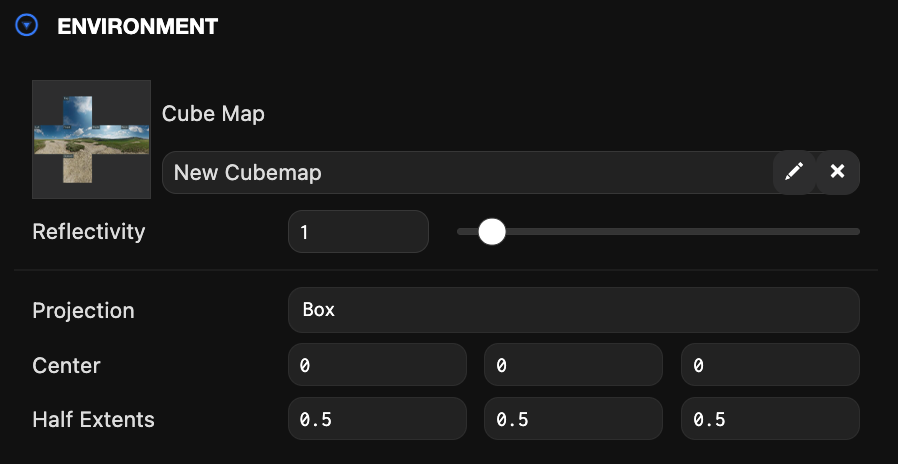
This technique changes the projection of the environment map to allow specifying a box within the space, so the cubemap corresponds to its boundaries. The most common use is to simulate reflections on surfaces within room-scale environments.
Example
This is an example scene and project using cubemap box projection. Notice the reflection of the wooden floor from the window and the subtle reflection of the ceiling. This is a dynamic effect that provides very realistic reflections and gives artists control over how surfaces reflect the room environment.
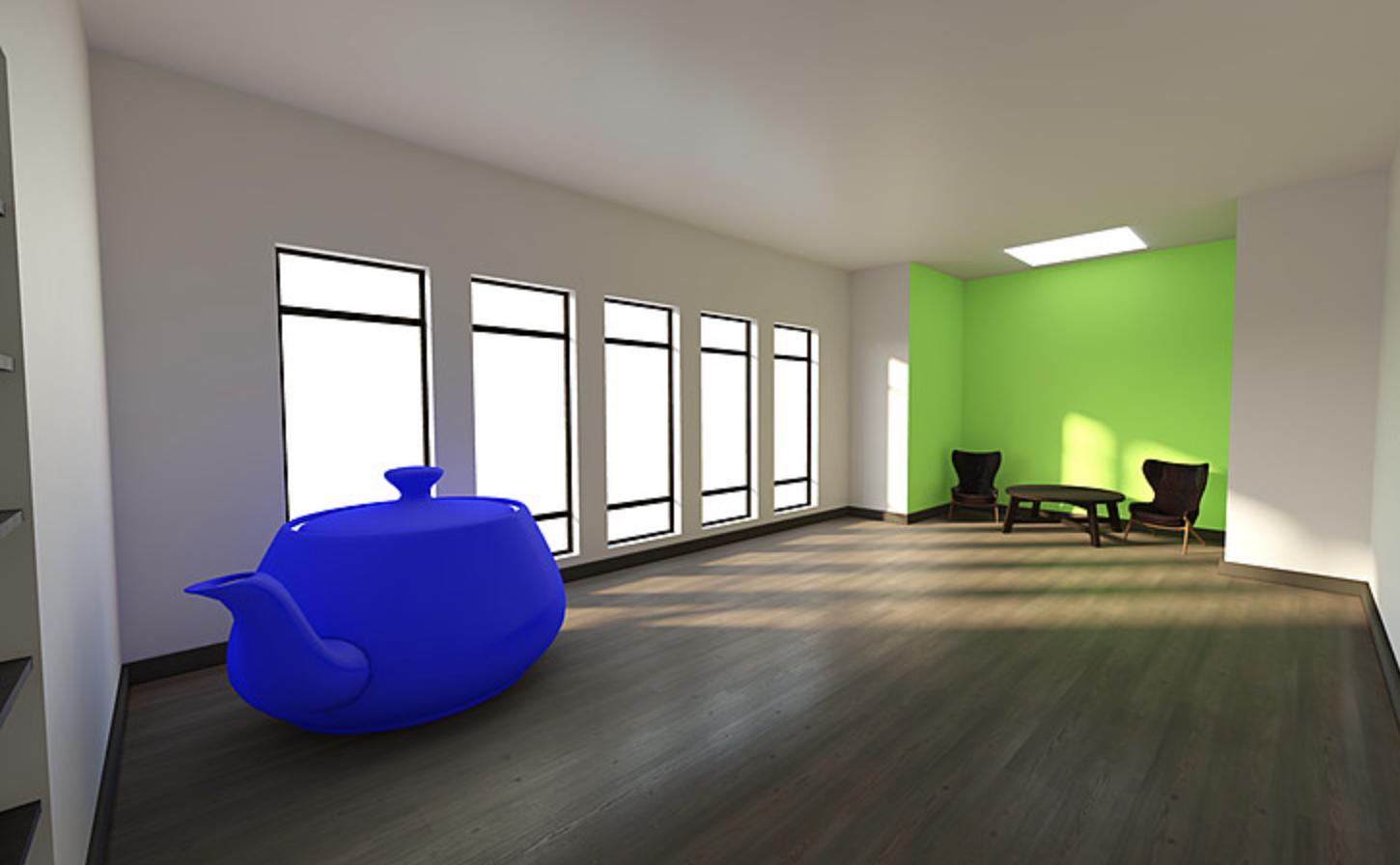
The lighting in this scene was implemented using lightmaps, AO textures, and box projection IBL (reflections).