Physical Materials
To use physically based rendering in OasisW, you need to understand how physical materials are structured and what effects occur when you change various parameters.
In this section, we'll talk about the most useful properties of materials and see how changing them in a live demo affects the appearance of the material.
First, a note about cubemaps and workflows.
Image Based Lighting
Let's start with IBL first. This is because you'll inevitably go into the editor to create materials and wonder why your material doesn't look like the samples below. Physical materials with HDR pre-filtered cubemaps look great!
Metalness and Specular Workflows
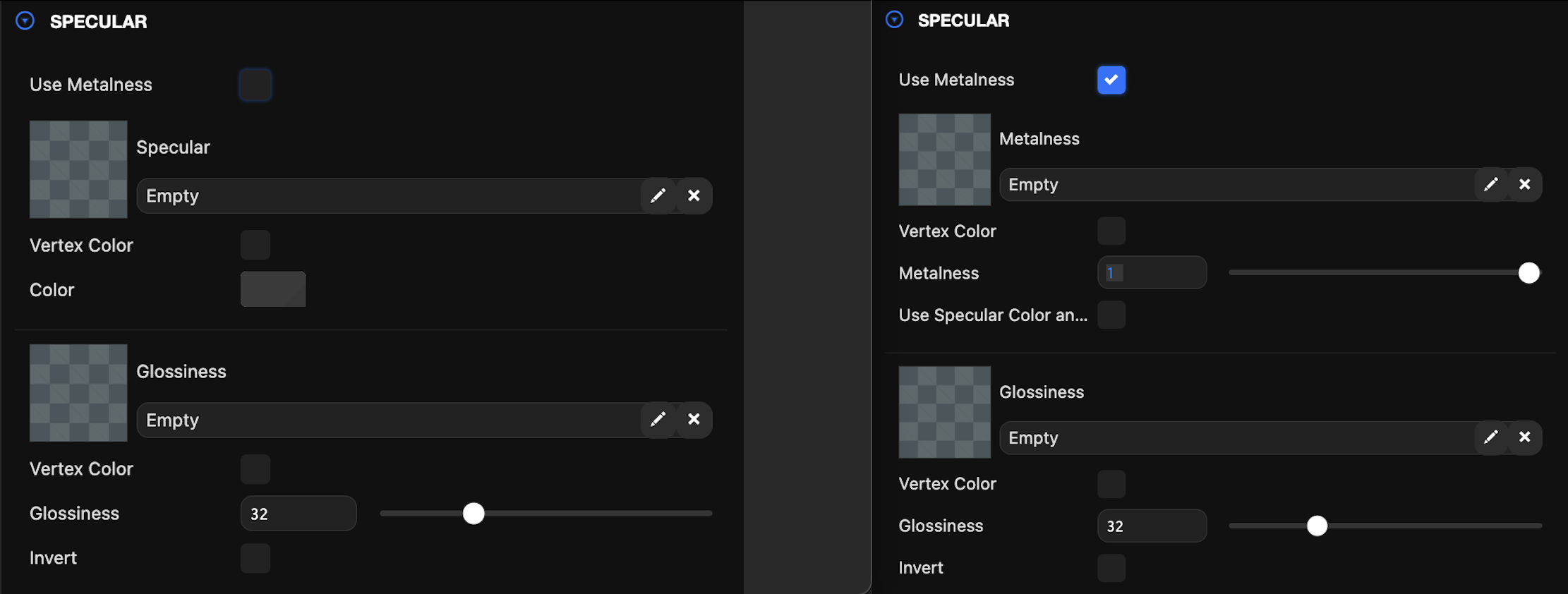
PBR is often divided into two different approaches for building assets or workflows. Both workflows are equivalent and provide the same results. Which one you choose really depends on preference. In OasisW, we choose the "metalness" flow because creating metalness maps is simpler and more efficient since they are single-channel.
The metalness workflow involves setting metalness values or creating metalness maps that determine which areas of the material are metal or non-metal. Usually, this is a simple binary choice. Metal is 1, non-metal is 0. There's rarely a need to have values between these.
The specular workflow involves setting specular values or creating specular maps that determine the color and intensity of light reflected by the material.
There's a good explanation of the differences on the Marmoset Toolbag blog.
Let's move on to materials.
Material Properties and Maps
Diffuse
The diffuse color is the base color of the material. This is an RGB color value. For clean, pure (metal, plastic) materials, this can be a constant value, but it can also be provided as a diffuse map texture. Note that you should avoid including lighting details (shadows or highlights) in the diffuse map, as these can be applied from other maps.
This is also known as albedo or base color.
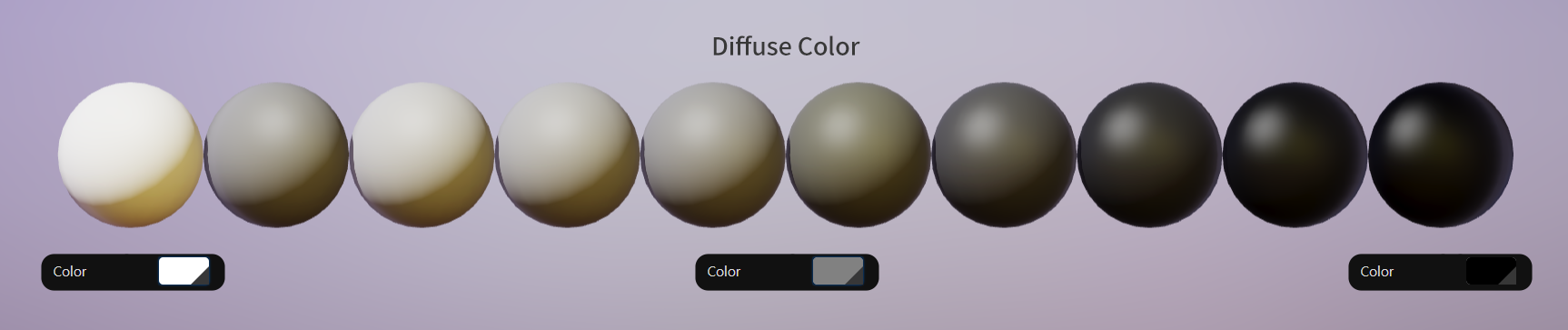
You can often find charts of recorded values for diffuse/albedo values on the internet.
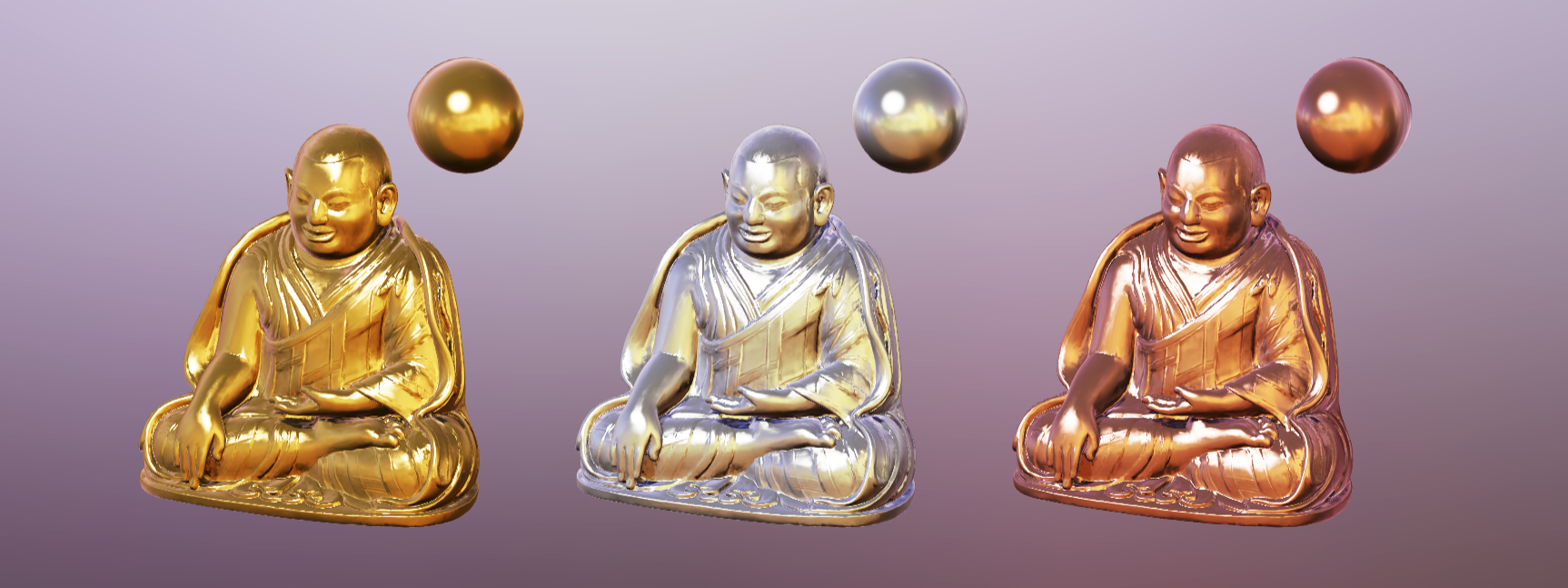
| Material | RGB |
|---|---|
| Gold | (1.000, 0.766, 0.336) or [255, 195, 86] |
| Silver | (0.972, 0.960, 0.915) or [248, 245, 233] |
| Copper | (0.955, 0.637, 0.538) or [244, 162, 137] |
Metalness
The metalness value is part of the metalness workflow. Metalness is a single value between 0-1 that determines whether the material is metal (1) or non-metal (0).
Metalness values should almost always be 0 or 1. There are rare cases where values between these are needed.
You can also provide a metalness map that defines specific areas of the material as metal or non-metal.

Glossiness
Glossiness is used in both metalness and specular workflows and defines how smooth the material surface is. Glossiness affects how blurry or sharp the material's reflections are, or how wide or narrow the specular highlights are. Glossiness is provided as a single value between 0-100 or as a glossiness map.
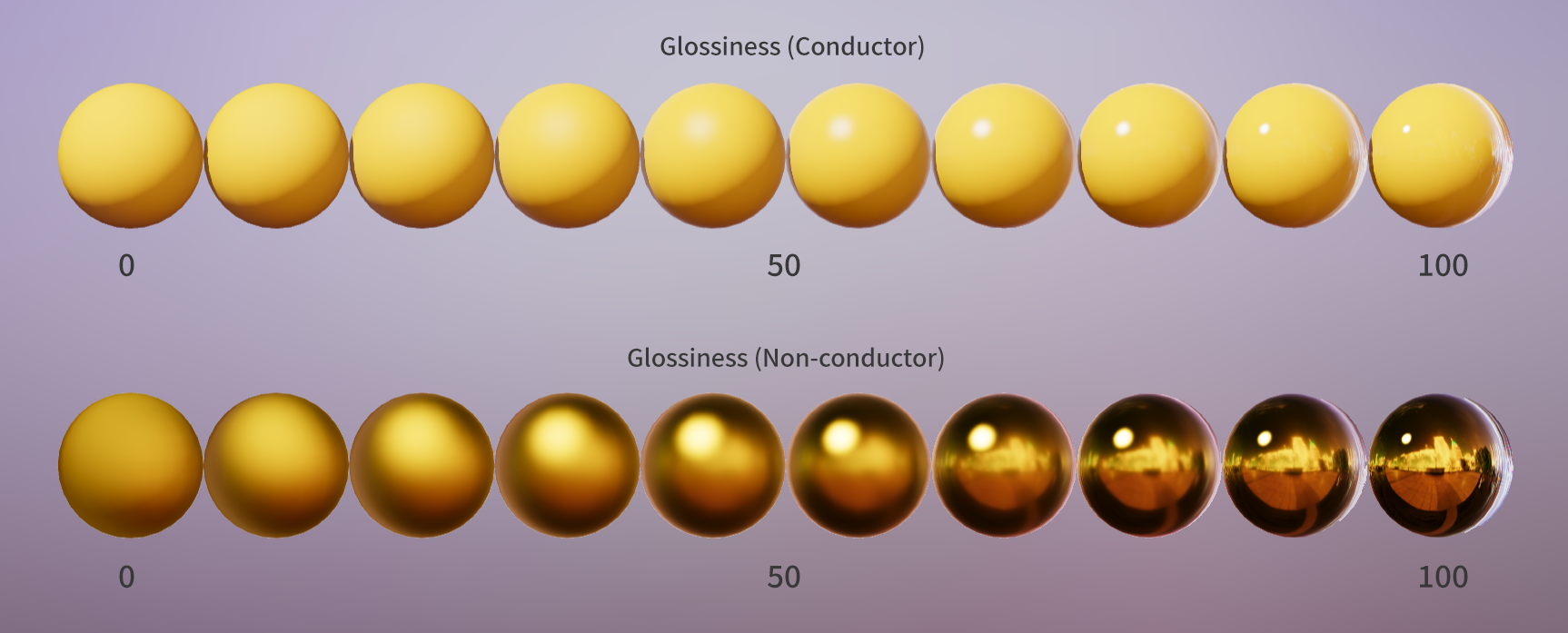
Some PBR systems use roughness instead of glossiness. Roughness is the inverse of glossiness. If you need to convert a roughness map to a glossiness map, simply invert it.
Sometimes glossiness and roughness are referred to as microsurface values.