Units
OasisW scenes typically treat 1 unit as 1 meter.
When creating artwork for OasisW, it's important to work at the desired scale. To do this, you need to check the working units of the scene in your chosen modeling application. You can choose any working unit you want, but make sure to stick to it. For example, to create a 1-meter cube, you can set the working unit to meters and create a 1x1x1 cube. Or you can set the working unit to centimeters and create a 100x100x100 cube. Both scenes, when exported to FBX and imported into OasisW, will result in a 1x1x1 cube.
Blender
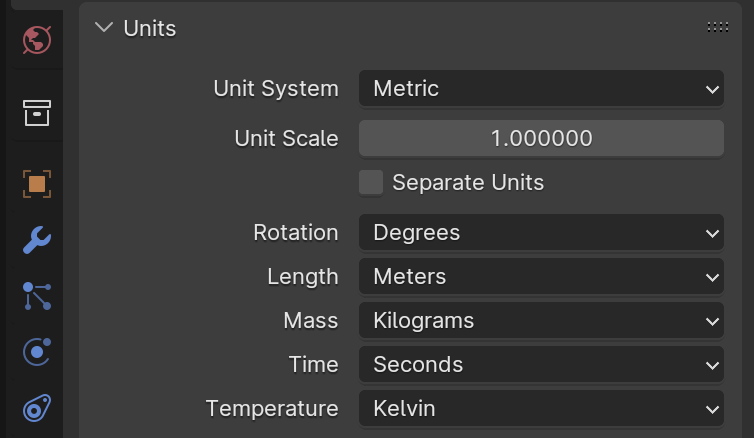
To ensure units are exported correctly from Blender, make sure the unit system in Scene Properties is set to metric and the scale is set to 1.0:
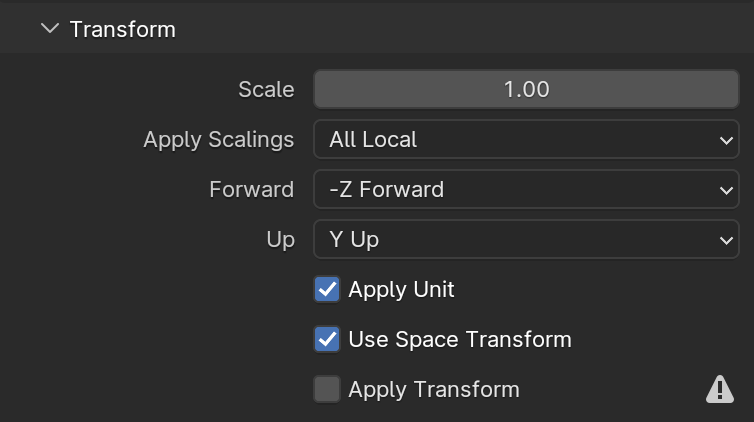
Also, when exporting to FBX format, make sure "Apply Scaling" is set to "FBX All":
Autodesk 3D Studio Max
To check or set working units in 3D Studio Max, open the Units Setup dialog and click the System Unit Setup button:

Autodesk Maya
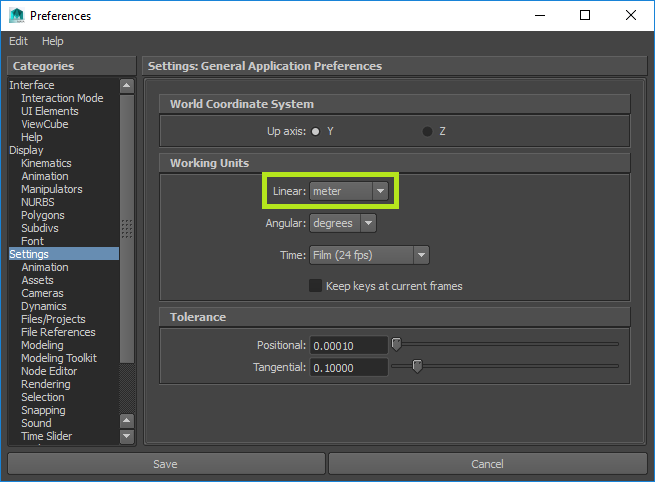
To check or set working units in Maya, open the Preferences dialog: