Creating a Project
Welcome to OasisW! This guide teaches you how to create your first project.
Access OasisW Editor
Visit the OasisW Editor to start your project.
How to Create a Project
Create a new project based on predefined templates.
OasisW provides various templates to help you quickly start your project.
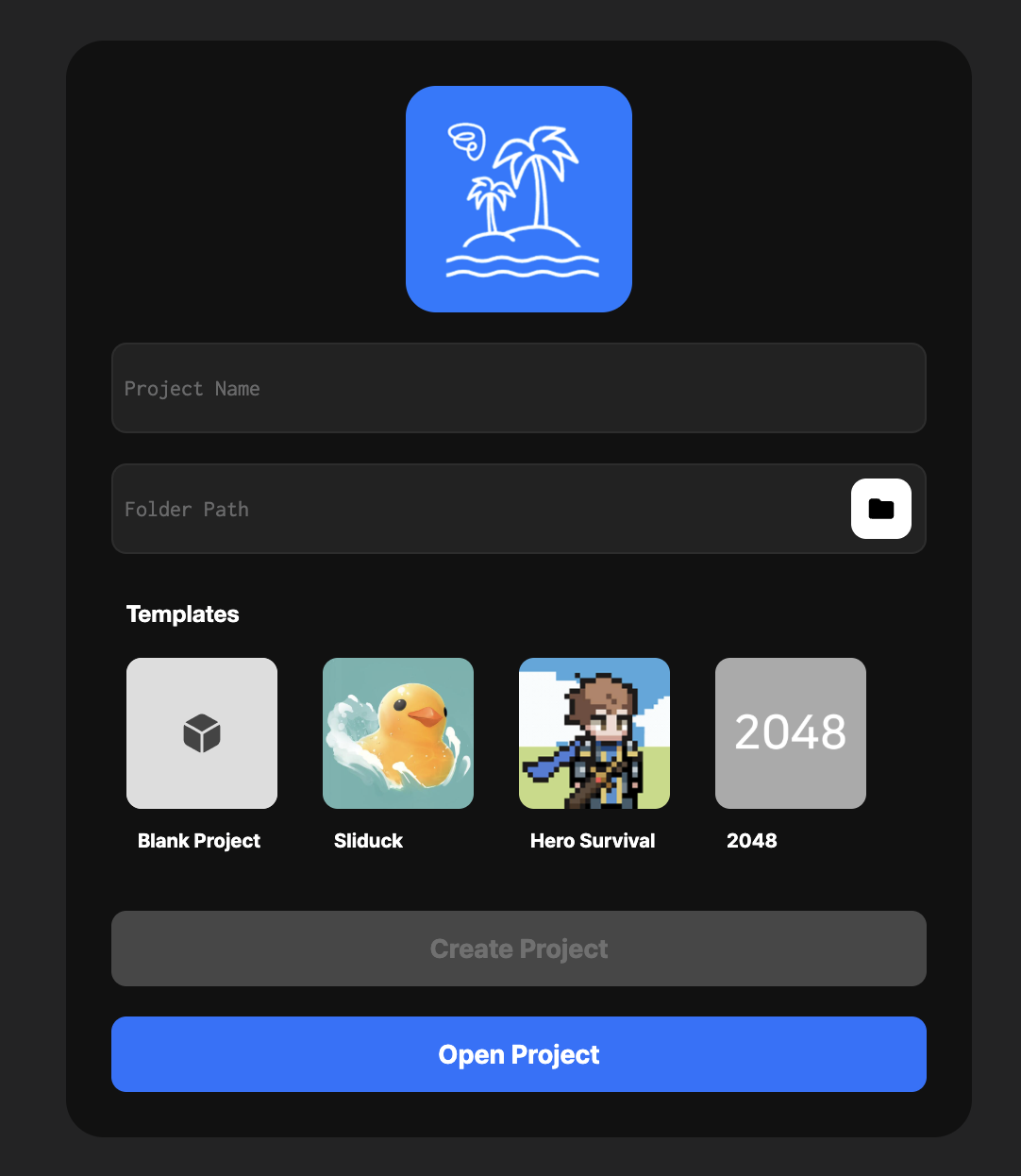
1. Creating a New Project
Steps to Create
- Enter the project name in the Project Name field.
- Set the project path in the Folder Path field.
Note
Project creation is not supported in Safari. Please use the Chrome or Edge browser.
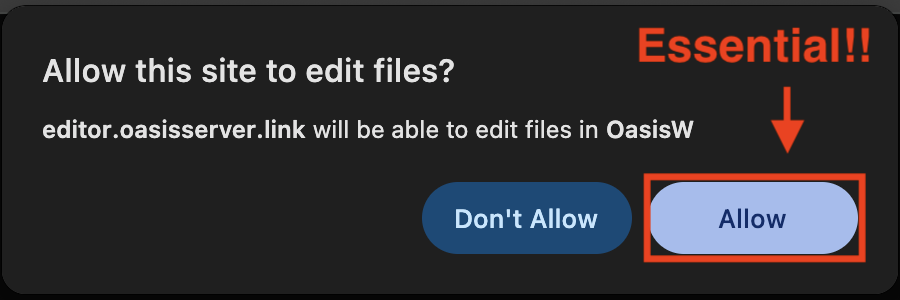
You must allow file edit permissions in your browser to use the editor.
- Select a template in the Templates window.
- Click the Create Project button.
Template Types
Blank Project
- The minimal setup including camera, lights, sky, and basic shapes.
- Sets up a basic 3D environment.
- Suitable for projects starting from scratch.
Tetris
- A 2D Tetris puzzle game template where you complete lines by rotating and placing blocks.
Shooting
- A 2D airplane shooting game template where you fire missiles to defeat enemies.
Only Up!
- A 3D platformer game template where you jump and move upward across objects.
Defense
- A defense game template where the player defeats incoming enemies while staying in a fixed position.
Clicker
- A 2D clicker game template where you increase your score and resources by clicking items.
Sort Rush
- A 2D reaction game template where you quickly sort appearing objects.
Vampire Survival
- A 2D survival game template where you defeat enemies, grow stronger, and beat the boss.
Arrow
- A 3D shooting action game template where you shoot arrows to defeat enemies.
Fruit Slash
- A 3D casual action game template where you slice fruit to score points.
Water Shot
- A simple, complete 3D shooting game template where you snipe targets.
2. Opening an Existing Project
- Click PROJECTS.
- Click Open on the desired project.
3. Organization Settings
In ORGANIZATION, select or browse the organization where you want to view or create projects.