Server
Learn about OasisW's server features and tools.
Server Creation
To use server features in a project, you must first create a server.
OasisW Studio Server Creation Procedure
-
Visit OasisW Studio.
-
Click Server, enter a server name, and click the start button.
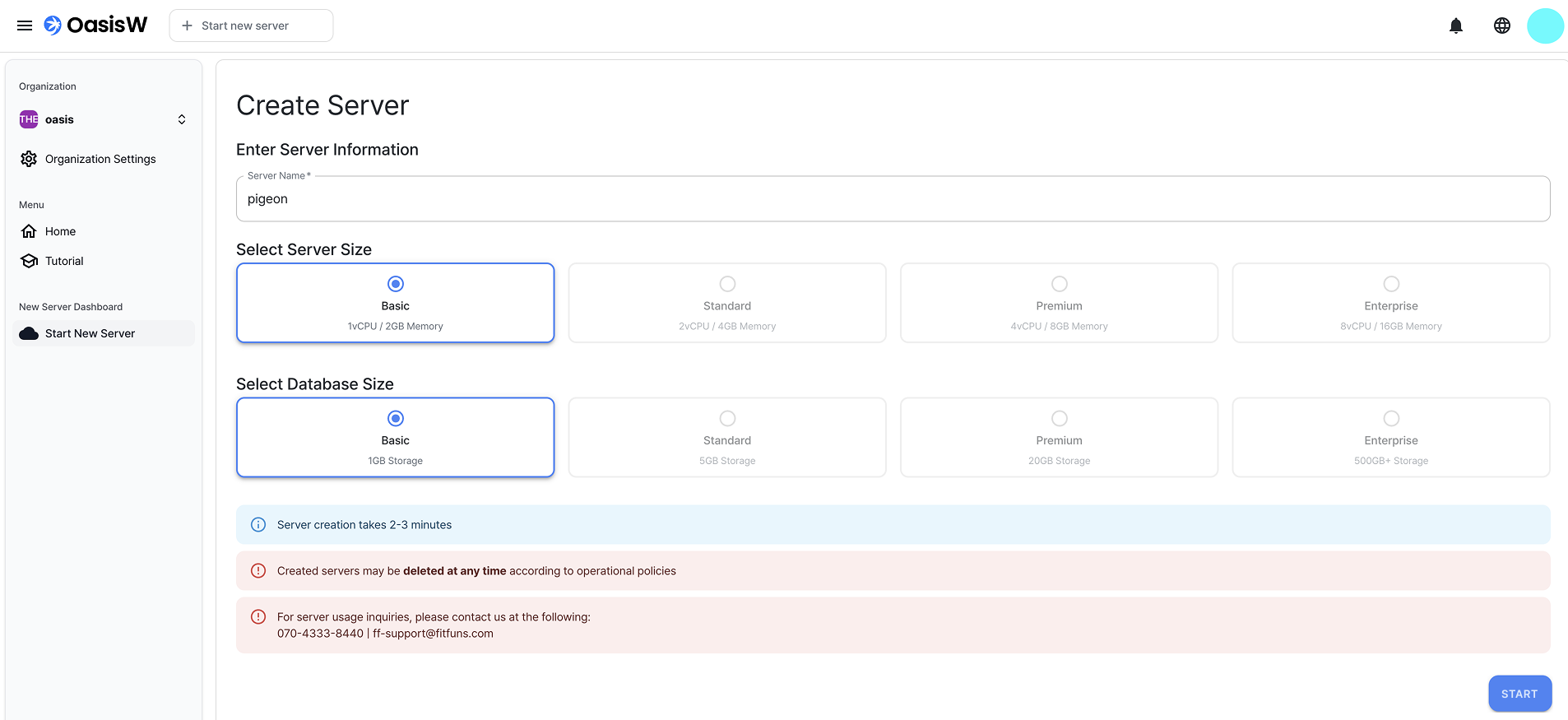
- After 2-3 minutes, you can check the created server.
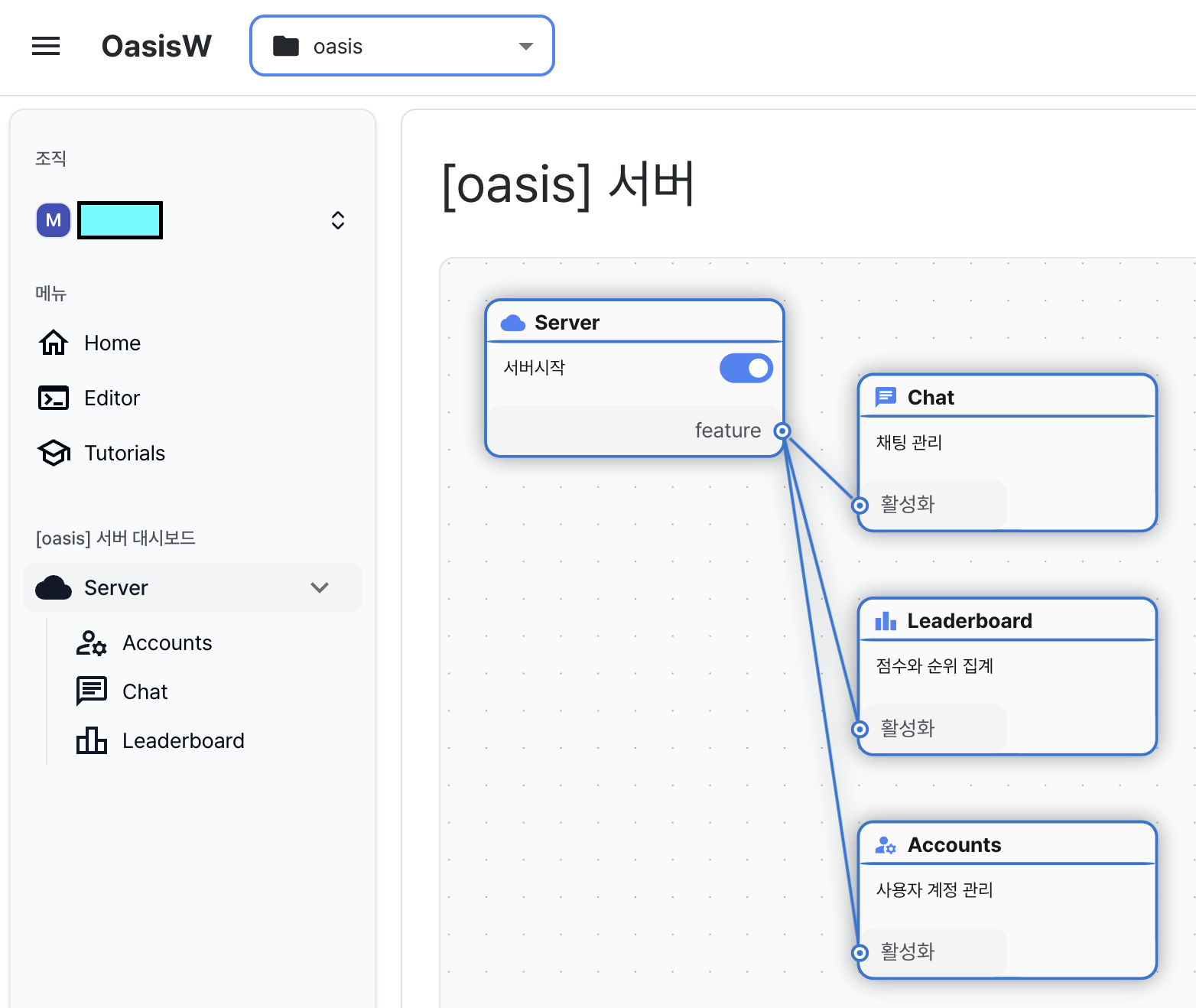
Editor Server Creation Procedure
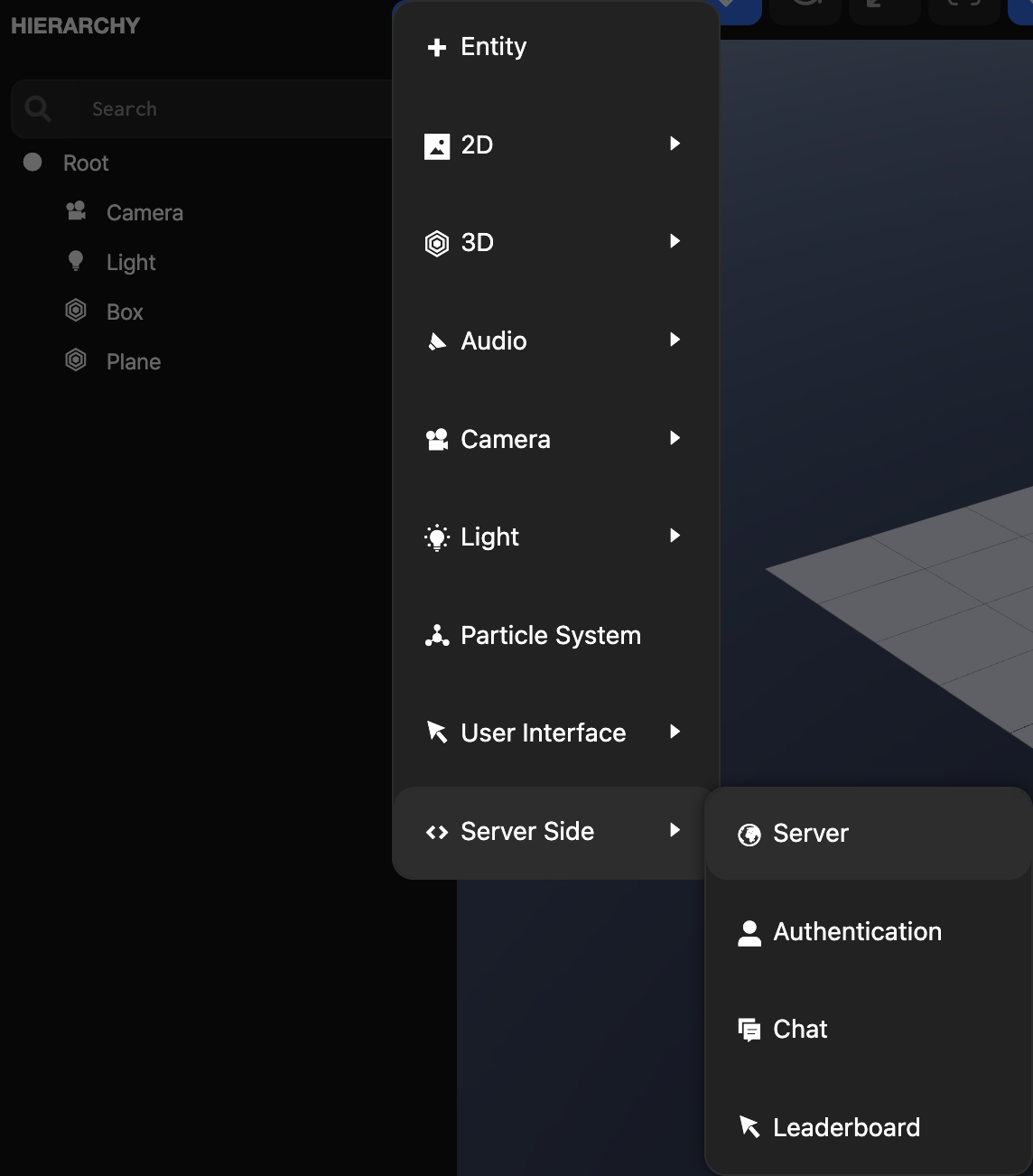
- In the editor page's hierarchy view, click Add Entity(+) button then select Server Side → Server.
- server.js file is automatically created in the Asset view.
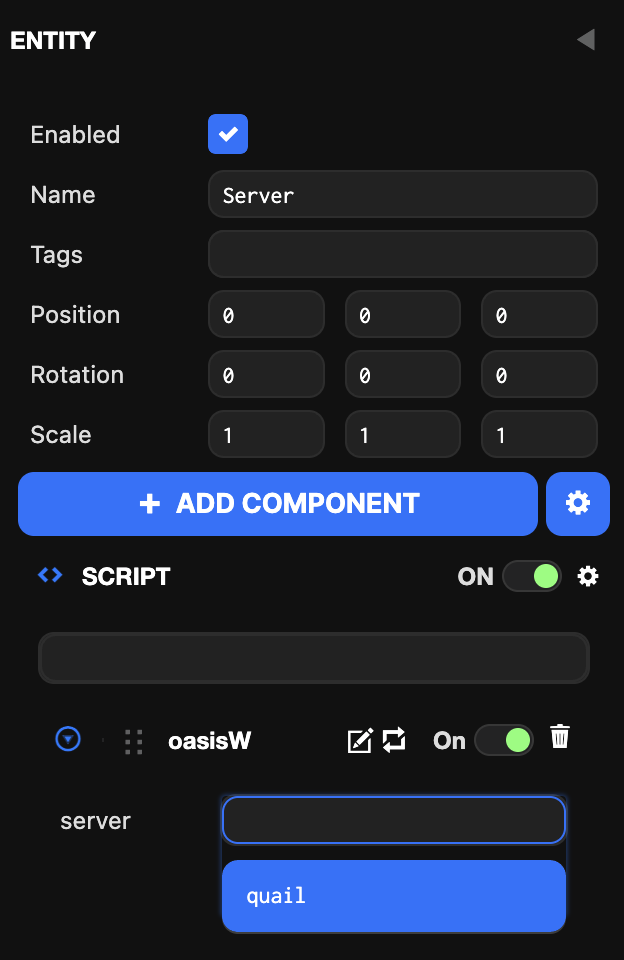
- Click Server entity → Inspector view → Script → Select the created server.
Notes
Entity Placement Order in 2D Screen
When adding server-related entities, they are created inside 2D Screen. In 2D Screen, entities higher in the hierarchy are rendered first, so place entities you want to see first at the bottom. Consider UI element display order when placing them.
Main Server Features
1. Authentication
You can check detailed descriptions of authentication systems including user login, registration, and account management.
2. Leaderboard
You can check detailed descriptions of game score and ranking management system configuration and operation methods.